Your team. Your plays. Your game plan.
Create animated plays, organize your team, and manage shifts, lines, and substitutions. Track basic stats to see how your team is doing.
Everything you need, from the whiteboard to game day
Animated plays
Draw routes step by step and get a clean animation your team can replay.
Branching plays
Split any step into what-ifs so players learn the read, not just the script.
Playing area templates
Real fields and courts for every sport, from full field to end-zone drills, with new areas added over time.
Playbooks
Group plays into playbooks for drills, tournaments, or a season, and share them with the team.
Team rosters
Add players by name, no accounts needed. Edit numbers and positions, keep inactive players on file.
Game day
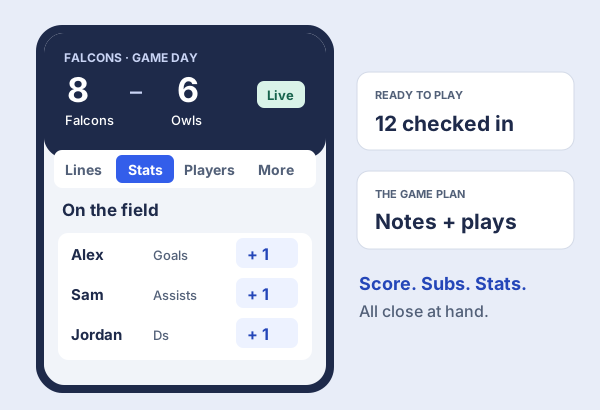
Attendance, score and stats by tap on a phone, with the plays you want for the game a swipe away.
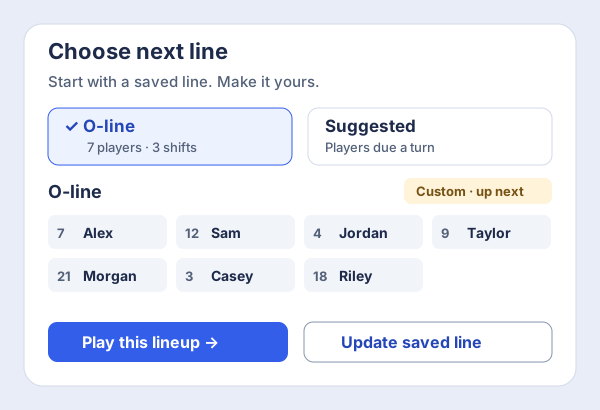
Lines, subs and shifts
Run lines or a bench, put players on and off, and log shifts so playing time stays fair.
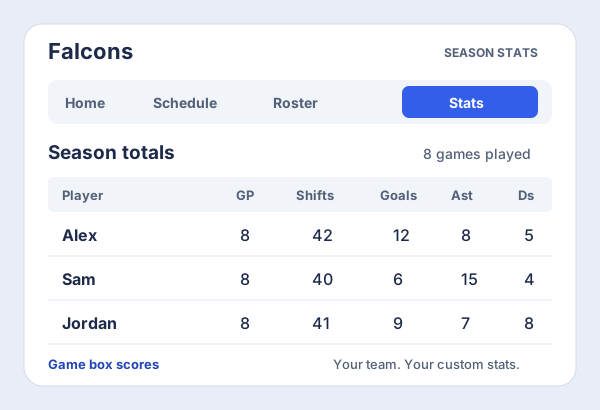
Stats and reports
Season totals, per-game box scores, and your own custom stats for the things your team cares about.
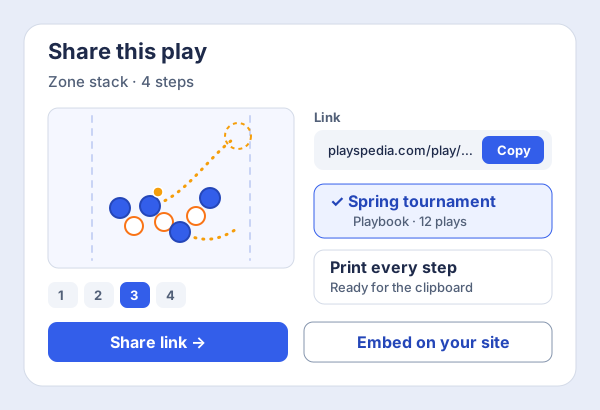
Print and share
Print every step cleanly for the clipboard, or share plays with a link and embed them anywhere.
Community plays
Explore thousands of plays shared by other coaches, filtered by sport and type.
Favourites
Save the community plays you like into your own collection for quick access.
Any device
Works in the browser on phones, tablets and laptops. Nothing to install for you or your players.
Easily diagram plays, step by step
Forget paper and magnet boards. Draw routes, drop players, and the Playmaker turns it into a clean, animated walkthrough — ready to present in minutes.
- Freehand routes with bezier handles
- Step-by-step animation of every play
- Branch into alternate scenarios mid-play
The problems every coach has, solved
Branch a play into what-ifs
Any step can split into alternate scenarios. The defender switches, the throw goes to the dump, the cut gets taken away — draw each branch once and your players see the read, not just the script.
- Branch from any step, as many times as you like
- Every branch animates on its own
- Players tap through the option that happened
Start from a ready-made playing area
Real, correctly-proportioned fields and courts for every sport we support — full field, half field, end-zone drills, courts. The library keeps growing, and members get the premium areas too.
- Full field, half field and drill areas
- Correct proportions and markings per sport
- New areas added all the time, premium ones for members
Print plays that look as good as they animate
One click prints the whole play cleanly — one step per panel, with the notes for that step underneath. Made for clipboards, team binders and tournament sheets.
- Every step on the page, in order
- Step notes printed alongside each panel
- Clean black-and-white output for the clipboard
Run your team from the same place as your plays
Keep the roster, take attendance, and track the score and stats by tap. Set your lines, watch the shift counts even out, and pull up the plays you picked for this game — all with one thumb on a phone.
- Roster, attendance and game-day lines
- Score, stats and shift counts by tap
- The plays for this game, right there
Playspedia supports many sports.
Ultimate, football, soccer, hockey, tennis, and pickleball — with new sports added all the time.
Simple plans, one for every coach
- 1 public play
- 4 steps per play
- 1 team with up to 10 players
- Game day: attendance, score, stats & shifts
- Support for all sports
- Unlimited plays
- Unlimited steps per play
- Unlimited playbooks
- Unlimited teams & players
- Custom team stats & season reports
- Priority support
- 25 private plays
- Unlimited public plays
- Unlimited steps per play
- 10 playbooks
- 1 team with unlimited players
- Custom team stats & season reports
- Sharing with embed codes
- Generate plays with AI
- Create plays from sketches
- Enhanced stats management
- Team analytics and trends
- And more as it ships